

Trikdis FLEXi Keypad SK-LCD button – Skrócona instrukcja użytkownika
Skrócona instrukcja klawiatury Trikdis FLEXi SK-LCD button: załączanie, wyłączanie, zarządzanie kodami, blokada stref, funkcje alarmowe i symbole.
- 5 min czytania
- 01.07.2025
- Producent: Trikdis
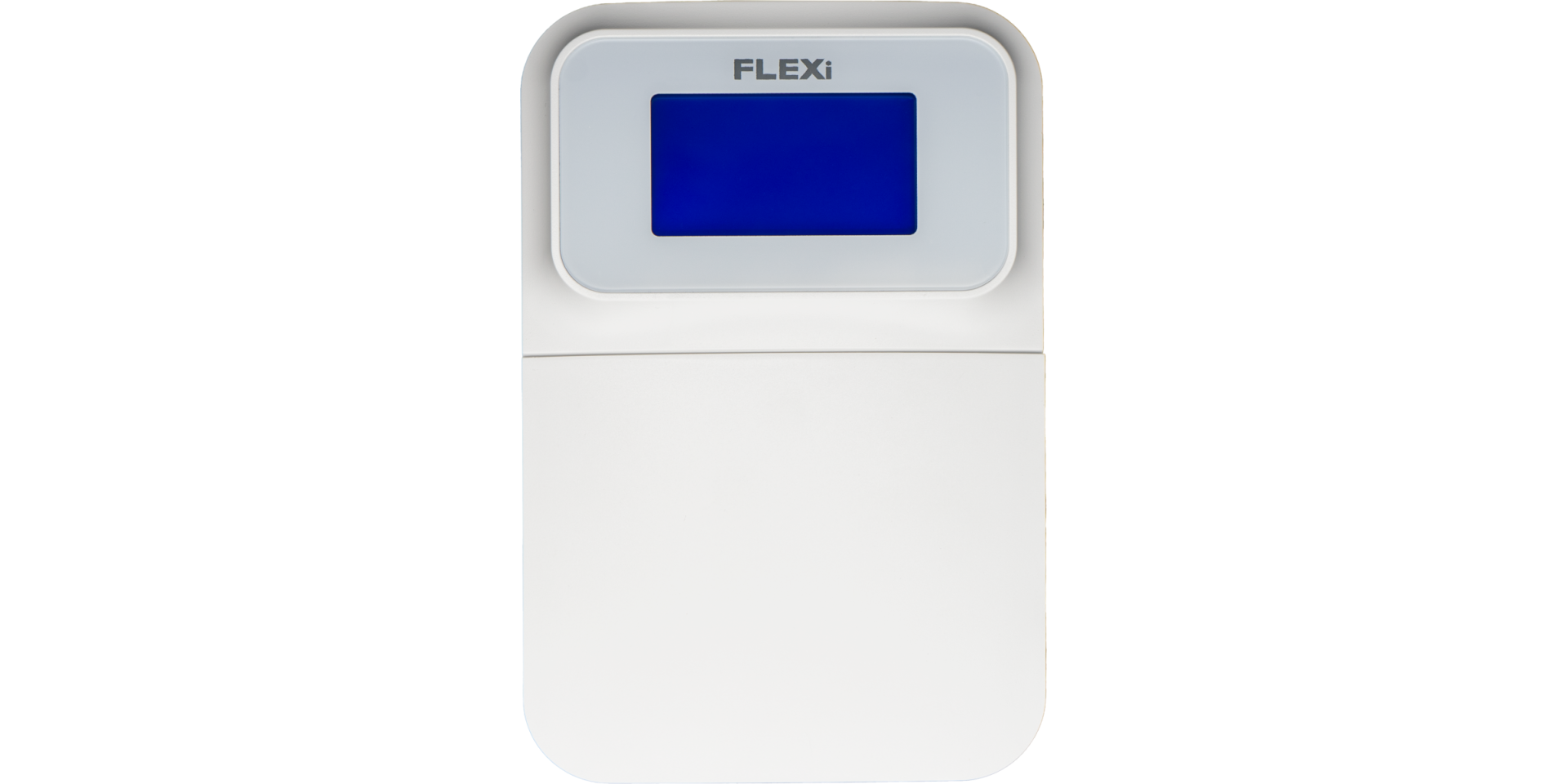
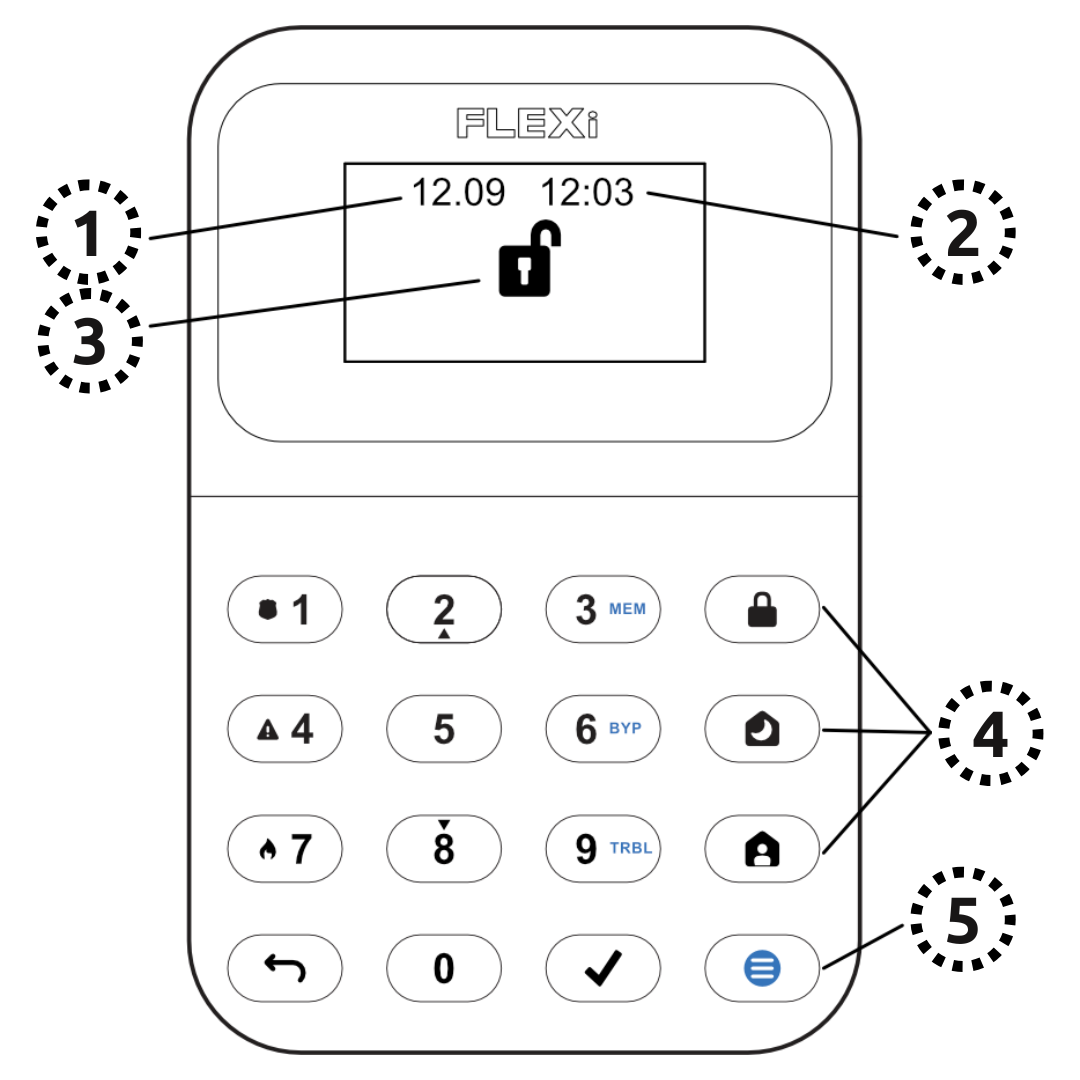
Opis funkcji
- Data
- Godzina
- Wskazanie stanu partycji
- Przyciski sterowania partycjami
- Przycisk menu
ZAŁĄCZANIE systemu alarmowego (Wyjście)
- Upewnij się, że żadna strefa nie jest naruszona.
- Naciśnij [
 ].
]. - Wprowadź kod użytkownika.
- Wybierz partycję.
- Naciśnij [
 ].
]. - Opuść obiekt w czasie opóźnienia wyjścia.
Gdy system jest załączony, na wyświetlaczu pojawia się ikona  .
.
WYŁĄCZANIE systemu alarmowego
- Wprowadź kod użytkownika.
- Wybierz partycję.
- Naciśnij [].
Gdy system jest wyłączony, na wyświetlaczu pojawia się ikona  .
.
Tryb NOC / SEN
Obwód budynku jest zabezpieczony, ruch wewnątrz jest swobodny. Alarm przy otwarciu drzwi/okien.
- Naciśnij [
 ].
]. - Wprowadź kod użytkownika.
- Wybierz partycję.
- Naciśnij [].
- Tryb NOC załącza się natychmiast.
Gdy tryb NOC jest aktywny, na wyświetlaczu pojawia się ikona  .
.
Tryb STAY (W domu)
Opóźnienie wejścia jest aktywne. Ruch wewnątrz jest swobodny.
- Naciśnij [
 ].
]. - Wprowadź kod użytkownika.
- Wybierz partycję.
- Naciśnij [].
- Tryb STAY załącza się natychmiast.
Gdy tryb STAY jest aktywny, na wyświetlaczu pojawia się ikona  .
.
Aby zmienić stan partycji, wystarczy wprowadzić kod użytkownika i wybrać żądaną partycję. Aby skasować wprowadzone polecenia, naciśnij [ ].
].
Tworzenie nowego / modyfikowanie istniejącego kodu:
- Naciśnij [
 ], następnie [0].
 - Wprowadź kod główny (domyślny: 1234).
- Wprowadź dwucyfrowy numer porządkowy użytkownika (np. 02).
- Wprowadź nowy kod dwukrotnie.
- Wybierz partycje przypisane do użytkownika.
- Naciśnij [].
Aby wyjść, naciśnij ponownie [].
Uwaga
- Numer porządkowy kodu głównego: [01]
- Kody składają się z 4 cyfr.
Usuwanie kodu użytkownika:
- Naciśnij [], następnie [0].
- Wprowadź kod główny.
- Wprowadź dwucyfrowy numer porządkowy użytkownika (np. 02).
- Naciśnij []. (Rozlegnie się sygnał potwierdzenia.)
- Naciśnij [].
Aby wyjść, naciśnij ponownie [].
Aktywacja blokady:
- Naciśnij [], następnie [6].
- Wprowadź kod użytkownika.
- Wprowadź dwucyfrowy numer(y) strefy(stref). Możesz wprowadzić kilka, np. 05 a następnie 11.
- Naciśnij []. (
 ikona pojawia się na wyświetlaczu, jeśli strefa jest zablokowana.)
Dezaktywacja blokady:
Powtórz kroki aktywacji.
Wysłanie sygnału alarmowego:
- Policja – przytrzymaj przycisk [1] przez 3 sekundy
- Pogotowie – przytrzymaj przycisk [4] przez 3 sekundy
- Straż pożarna – przytrzymaj przycisk [7] przez 3 sekundy
Uwaga: Działa tylko z aktywnym abonamentem zdalnego monitoringu.
Reset czujników pożaru (dymu):
- Naciśnij [] przez 3 sekundy.
Uwaga: Czujniki pożaru i/lub dymu nie resetują się automatycznie po alarmie. Należy je zresetować ręcznie.
Jasność przycisków
- Naciśnij [], następnie przyciski [5] i [3].
- Reguluj jasność przyciskami [2] / [8].
- Zapisz przyciskiem [], wyjdź przyciskiem [].
Jasność wyświetlacza LCD
- Naciśnij [], następnie przyciski [5] i [2].
- Reguluj jasność przyciskami [2] / [8].
- Zapisz przyciskiem [], wyjdź przyciskiem [].
Głośność klawiatury
- Naciśnij [], następnie przyciski [5] i [1].
- Reguluj głośność przyciskami [2] / [8].
- Zapisz przyciskiem [], wyjdź przyciskiem [].
Wyłączanie podświetlenia w trybie czuwania
To ustawienie określa, czy podświetlenie klawiatury świeci także wtedy, gdy urządzenie przejdzie w tryb czuwania (tj. przez dłuższy czas nie naciśnięto żadnego przycisku).
- Naciśnij [], następnie przyciski [5] i [4].
- Przyciskiem [1] ustawisz świecenie podświetlenia w trybie czuwania, a przyciskiem [2] – jego wyłączenie.
- Zapisz przyciskiem [], wyjdź przyciskiem [].


Klawiatura „SK-LED button" obsługuje 64 strefy i 8 partycji. Partycje można przypisywać do poszczególnych klawiatur – wtedy klawiatura wyświetla stan tylko przypisanych partycji. Funkcja jest dostępna od wersji FW:SP3_xxx4_0121 centrali.
Tagi:
Powiązane artykuły
Trikdis FLEXi SP3 – prezentacja inteligentnej centrali alarmowej
- 10.08.2020
Trikdis FLEXi SP3: inteligentna centrala alarmowa ze zintegrowanym komunikatorem – wszechstronna, szybka i opłacalna.
Czytaj więcej
Proces aktualizacji oprogramowania klawiatury FLEXi LCD
- 06.03.2023
Przewodnik po aktualizacji oprogramowania klawiatury Trikdis FLEXi LCD.
Czytaj więcej
Trikdis FLEXi Keypad SK-LED button – Skrócona instrukcja użytkownika
- 10.07.2025
Skrócona instrukcja klawiatury Trikdis FLEXi SK-LED button: załączanie, wyłączanie, zarządzanie kodami, blokada stref i funkcje alarmowe.
Czytaj więcejPowiązane produkty

Inteligentny panel alarmowy Trikdis FLEXi SP3 Ethernet
Inteligentna centrala z wbudowanym nadajnikiem Ethernet: przewodowa komunikacja internetowa, zdalny dostęp, darmowa aplikacja.
€139,90 Cena netto: €113,74
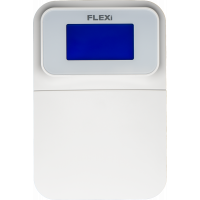
Klawiatura Trikdis SK-LCD Button
Przyciskowa klawiatura LCD z ikonami do centrali FLEXi SP3 — czytelny wyświetlacz niezależny od języka.
€67,90 Cena netto: €55,20